
BBQR
Restaurant platform — Beach Bar QRcodes.
BBQR is a restaurant platform (Beach Bar QRcodes): QR menus, multilingual content, call-waiter flows, reservations, table management and day-to-day restaurant operations.
About the platform
BBQR is a restaurant platform—Beach Bar QRcodes. It is a QR-code system and restaurant management product for bars and restaurants. Guests scan a table code, browse a multilingual menu and request help from the table. Operators manage menus, tables, reservations and service workflows from the same product—not only a static digital PDF.
The problem
Restaurants and beach bars often juggle printed menus, language barriers and staff interruptions for simple requests—more reprints, slower service and harder table coordination during busy hours.
The solution
BBQR’s restaurant platform gives each table a QR entry point into a live multilingual menu and restaurant management tools. Guests can call a waiter without waving across the room; the venue keeps menus, tables, reservations and operations in one place.
- QR menus
- Auto translations
- Call waiter
- Reservations
- Table management
Digital menu control
Change the menu once. Every table sees it.
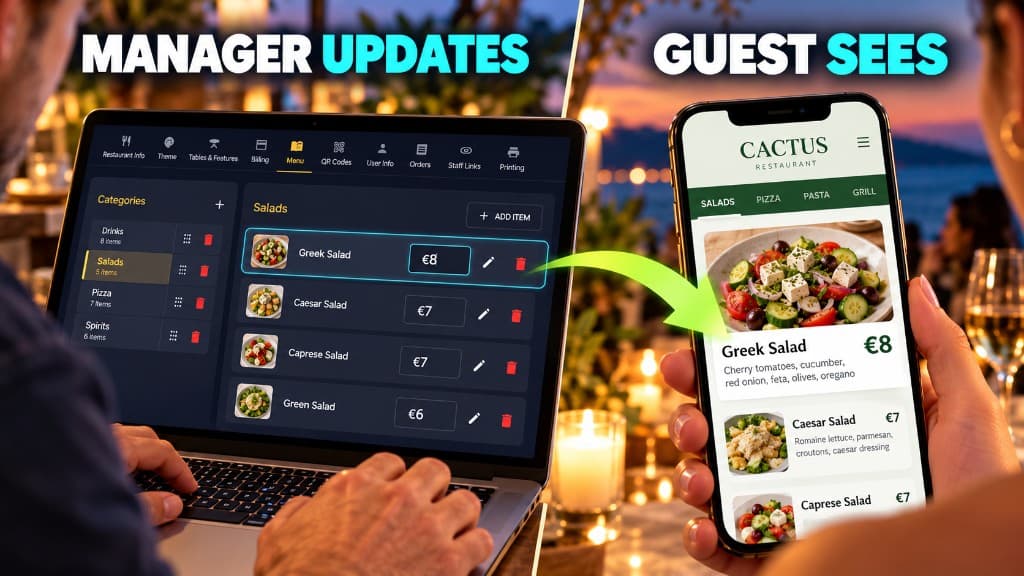
BBQR treats the menu as a living operations surface—not a PDF you reprint. Operators edit dishes, prices, allergens, specials and sold-out items in one place; every table QR reflects the update without a new print run or a staff briefing that trails reality.
1 edit
Reaches every table
Publish a change once—prices, wording, photos or structure—and every seated guest sees the live menu on the next scan.
Live
Sold-out & specials
Mark items unavailable or push today’s specials during service so the floor and the phone stay aligned.
Multi
Language menus
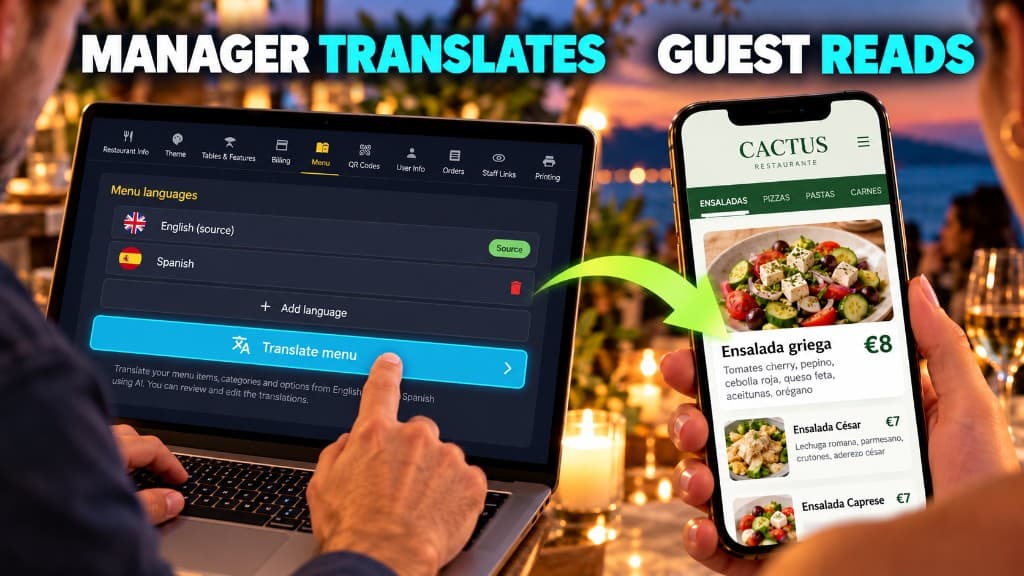
Serve the same kitchen list in multiple languages from automatic translations—guests read in theirs, you maintain one source.
0
Reprint cycles
No waiting on the printer between lunch and dinner. Seasonal menus, allergy notes and wine lists update digitally.
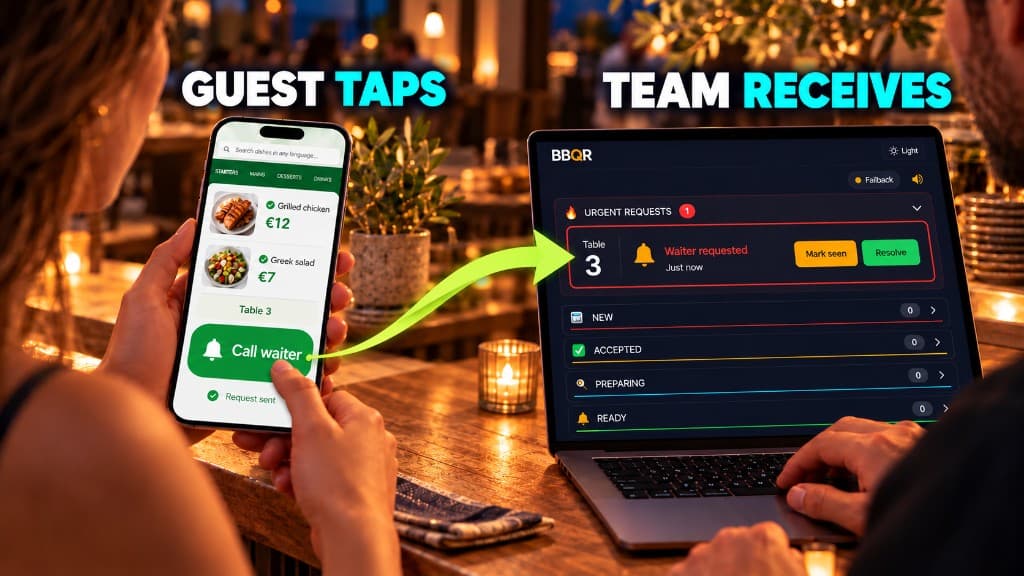
Call waiter
From the table to the floor—without the wave.
Guests tap Call the Waiter on their phone. Staff see the table request in BBQR admin and can mark it seen or resolve it.
A guest calls. The team sees it instantly.
Digital menu
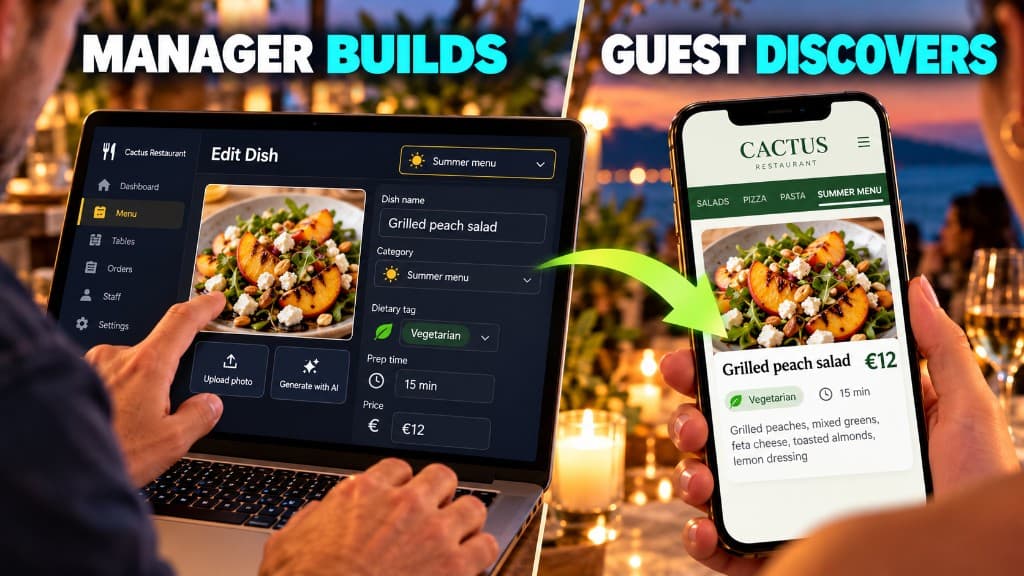
A menu your team can update in minutes
Add dishes, change prices and publish seasonal menus from one dashboard. Upload your own food photos or generate them with AI. Add tags and preparation times so guests can choose with confidence.
Add another language, generate a first translation from your menu, then review it before publishing. Guests see the updated menu on their phones.
Ordering
From menu to order
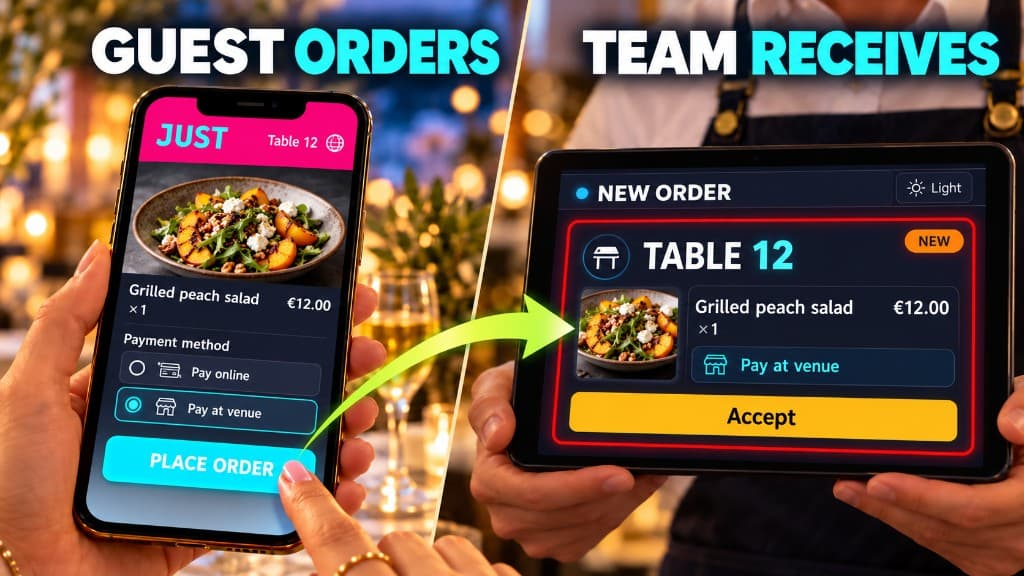
Guests can place an order from their phones. The restaurant can take payment online or let guests pay at the venue. The team sees the order and its table in the staff view.
How it works
From first step to lasting workflow
01
Guest experience
A guest scans the table QR, opens the menu in their language, browses dishes and uses call-waiter when they need service—without installing an app or waiting for a paper menu.
02
Restaurant workflow
Staff and operators manage multilingual menu content, table-related flows and restaurant operations from the platform so service stays aligned between floor and back of house.
03
Table management
Tables become part of the digital workflow: each QR maps to a table context, so requests and menu access stay tied to where the guest is sitting.
Key capabilities
Live digital menu editor
Add, rename, reprice and reorganise dishes and categories whenever you need—the guest menu updates from the same source of truth.
Multilingual QR menus
Publish menu content guests can read in more than one language from a phone browser, with automatic menu translations.
Sold-out and specials
Toggle availability and highlight daily specials in real time so guests never order what the kitchen cannot serve.
Call-waiter flow
Let guests request attention from the table without interrupting neighbouring service.
Reservation system
Take and manage table reservations as part of restaurant operations—not a separate tool bolted on.
Table management
Keep table context attached to menu access and service requests.